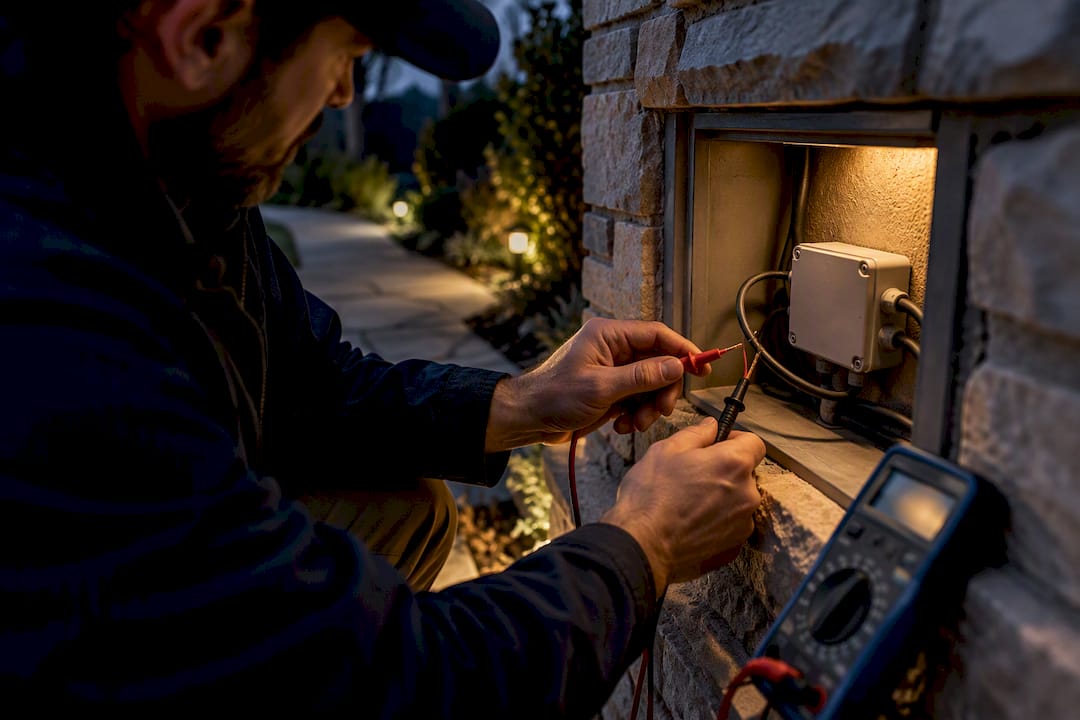
Stop Day Burning and LED Flicker: Photocell vs Timer for Homeowners

Stop Day Burning and LED Flicker: Photocell vs Timer for Homeowners
For reactive dusk-to-dawn switching, a photocell wins because it responds to actual light levels outside your door. For predictable, scheduled control, an astronomical timer wins because it calculates sunrise and sunset for your location automatically. If your site has stray light, security needs, or a low tolerance for errors, run both together.
TL;DR:
- Photocells can misfire during overcast conditions or snow reflection, causing lights to stay on long after dawn, which reduces energy savings.
- Timer control relies on programmed schedules or calculations like sunrise and sunset, with astronomical timers automatically adjusting for seasonal changes and daylight saving time.
- LED-compatible photocells require specific features like time-delay circuitry and high-life sensors to prevent flicker, cycling, or relay welding issues.
- Combining a photocell with a timer-based curfew effectively mitigates false triggers and energy waste in challenging lighting environments.
- Installing a permanent, app-controlled outdoor lighting system offers reliable, maintenance-free operation, seasonal flexibility, and longevity compared to DIY photocell and timer setups.
Photocell vs Timer: A Quick Trade-Off Checklist
The two technologies solve the same problem with opposite logic. A photocell is reactive: it “sees” ambient light and flips a switch when it crosses a threshold. A timer is proactive: it runs on a clock and doesn’t care what the sky is doing.
That difference shows up in how each one fails.
- Control philosophy: photocell reacts to sensed light; timer runs on a programmed or calculated schedule.
- Common failure mode: photocells suffer day-burning and false triggers from streetlights, headlights, or snow glare; timers suffer misprogramming, dead backup batteries, or missed daylight saving time updates on older mechanical units.
- Maintenance: photocell sensors degrade with age and need periodic swaps to stay accurate; digital and astronomical timers mostly need a battery check every year or two.
- Energy performance: photocells that misfire during overcast days can leave lights running for hours longer than needed; well-set timers avoid that entirely.
- Best fix for edge cases: pair a photocell with a timer-based curfew window so lights never run past a set hour even if the sensor misreads conditions.
Neither device is “smarter.” One has eyes, one has a brain, and the best installations often use both.
How Photocells Work, and Where They Struggle
A photocell is a photoelectric sensor: a small photoresistive or photodiode element that changes resistance based on ambient light. When darkness crosses a preset threshold, an internal relay closes and powers the fixture. When light returns at dawn, the relay opens. Photocontrols remain the most common control method for outdoor lighting largely because they need no programming and no clock to keep. Mount them facing north or away from the fixture’s own light source to avoid the unit sensing its own glow, and mount them where snow buildup or reflective siding won’t skew the reading.
The trouble starts with false positives. Cloud cover, snow reflection, streetlight spill, or even a neighbor’s motion-activated floodlight can trick a photocell into treating dusk as daylight or vice versa. This “day-burning,” lights staying on long after sunrise, is common enough that the Department of Energy’s parking lot lighting guidance flags it as a known weakness of sensor-only controls, noting that timeclocks can save energy in some comparisons specifically because they don’t have this failure mode.
LED retrofits add a second problem. Older electromechanical photocells were built for the higher, steadier loads of incandescent or HID fixtures. LED drivers draw a fraction of that steady-state current but often pull a sharp inrush spike at startup, and that mismatch can cause visible flicker, rapid on-off cycling, or, in worse cases, welded relay contacts that leave the fixture stuck on. The fix is straightforward: specify an LED-compatible electronic photocell rated for low minimum loads, ideally with time-delay circuitry that prevents the unit from re-triggering the moment it sees a brief light change.
Because sensor materials drift with age and heat exposure, the Energy Department’s guidance also recommends specifying high-life photosensors up front. A cheap sensor that needs replacing every couple of years quietly erases whatever maintenance savings the LED fixture was supposed to deliver.

Timer Switches: Mechanical, Digital, and Astronomical
Timers control lighting on a schedule instead of a light reading, and they come in three distinct families. Mechanical timers use a rotating dial with physical pins or tabs that trip a switch at set times; they’re cheap and reliable but limited to fixed daily times with no seasonal adjustment. Digital timers replace the dial with a microcontroller and a small display, giving you multiple on/off events per day, battery backup for power outages, and finer time resolution, but they still run whatever schedule you punch in until you change it.
Astronomical timers add one more layer: a location database or calendar algorithm that calculates actual sunrise and sunset for your coordinates every single day. That means the timer automatically shifts its on/off times as the seasons change and adjusts for daylight saving time without you touching a button. For anyone who has ever forgotten to reset a timer in November and wondered why the porch lights came on at 4:30 p.m., this is the entire selling point.
Wiring differences matter here. Mechanical and basic digital timers typically wire in as direct switch replacements. Astronomical timers usually need a neutral wire and sometimes a small backup battery to hold the time and location data through a power blip. For loads beyond what the timer’s internal relay can handle, meaning most multi-fixture roofline or landscape runs, the timer should trigger a contactor rather than switch the full load directly.
On energy savings, the case for timers is concrete rather than theoretical. The FEMP parking lot lighting guide puts timeclock-based control at 15% or more in savings compared with simple photosensor control in some installations, purely because timers don’t day-burn. DarkSky makes a parallel point from the light-pollution side: predictable curfew windows are harder for a light control to “get wrong” than a sensor reading a messy sky.

How to Choose Between a Photocell and a Timer
Pick the control by working through four questions in order, not by defaulting to whatever your last fixture used.
- Define the mission. Is the priority security (lights that respond instantly to darkness, wherever it falls that day), aesthetics (predictable, consistent timing for a roofline or landscape display), or minimizing energy waste? Security leans toward photocell. Aesthetics and energy discipline lean toward astronomical timer.
- Audit the site for stray light. Walk the property at dusk. Streetlights, neighboring floodlights, reflective surfaces, and heavy tree cover all increase the odds a photocell misfires. Sites with a lot of ambient light noise do better with a timer or a combo setup.
- Check load and device compatibility. Confirm the fixture’s driver, its minimum load rating, and inrush behavior before matching it to any control. Photocontrol and receptacle interchangeability is governed by ANSI C136.10, with dimming interfaces covered under ANSI C136.41, so ask any installer whether the photocell or module you’re getting actually meets that receptacle standard rather than just looking similar to one.
- Decide the control type, or combine them. If steps 1 through 3 point in different directions, they usually do, that’s your signal to combine a photocell for the on/off trigger with a timer-based curfew that caps how late the lights can run regardless of what the sensor sees.
Pro Tip: Ask any installer or supplier three questions before you buy: what’s the minimum load rating, is the photocell or module ANSI-receptacle compatible, and does it include time-delay circuitry to prevent cycling on LED loads? A vague answer to any of the three is a red flag.
If you’re weighing lighting for a one-time event rather than a permanent installation, the calculus shifts again. Event lighting typically runs on fixed schedules for a few hours, which is closer to the kind of temporary setups event lighting planners hire than to a permanent dusk-to-dawn install, and a simple digital timer is usually all that’s needed there.
Installation and Compatibility Notes for Wiring It Right
Most photocell and timer swaps look like a simple switch replacement, but a few details separate a clean install from a callback. Confirm you have a neutral wire at the box before installing a digital or astronomical timer. Older two-wire switch loops without a neutral won’t support most digital timer electronics without an added neutral run.
For any load beyond a single small fixture, wire the timer or photocell to trigger a contactor instead of switching the full current directly through the control’s internal relay. This is especially true for roofline or landscape runs with multiple LED heads on one circuit, where the combined draw and inrush spike can exceed what a basic photocell relay is rated for.
On standards: ANSI C136.10 governs the mechanical interchangeability of twist-lock photocontrol receptacles, so a photocell built to that spec will physically fit and electrically function in almost any standard receptacle base, regardless of manufacturer. That matters enormously for retrofits, since it means you’re not locked into one brand’s proprietary module. Many networked control products on the market today still ship as external modules shaped like a standard photocell specifically so they drop into that same receptacle.
For LED-specific fixes: specify an electronic, LED-rated photocell with time-delay circuitry, confirm the minimum load rating clears your fixture’s actual draw, and if you’re seeing flicker or stuck-on behavior after a retrofit, that combination is almost always the fix. If any of this involves running new neutral wiring, adding a contactor, or you’re not confident reading a fixture’s driver spec sheet, that’s the point to call an electrician rather than guess. Give them the fixture’s wattage, driver type, and whether the run is currently controlled by a switch loop or a dedicated circuit.
What Homeowners Actually Prioritize Once the Lights Are In
Working through enough of these installations makes one thing clear: most homeowners don’t actually care whether a control is “sensor” or “schedule” based. They care about three things. Will it keep working without babysitting? Can I change how it looks without climbing a ladder? And will it survive five New York winters without the sensor drifting or the timer battery dying mid-January?
That’s the real argument for a permanent, professionally installed system over stacking DIY photocells and timers fixture by fixture. Capital Pro Lighting’s InvisiLights track-mounted systems use app-based color control instead of a sensor guessing at dusk, custom 3D-printed brackets for a finish that doesn’t look bolted on, and a lifetime parts warranty on track installs. After more than a decade in the Capital Region, the pattern holds: piecemeal photocell and timer fixes solve today’s problem. A permanent system solves the next ten years of it.
— Luis T
Get a Permanent Lighting Setup Instead of Managing Controls Yourself
A permanent, app-controlled roofline system can change color for holidays or everyday use without a ladder, a sensor to second-guess, or a clock to reset for daylight saving time. It replaces the annual cycle of hanging string lights, testing photocells, and reprogramming timers with one installation that stays put year-round.
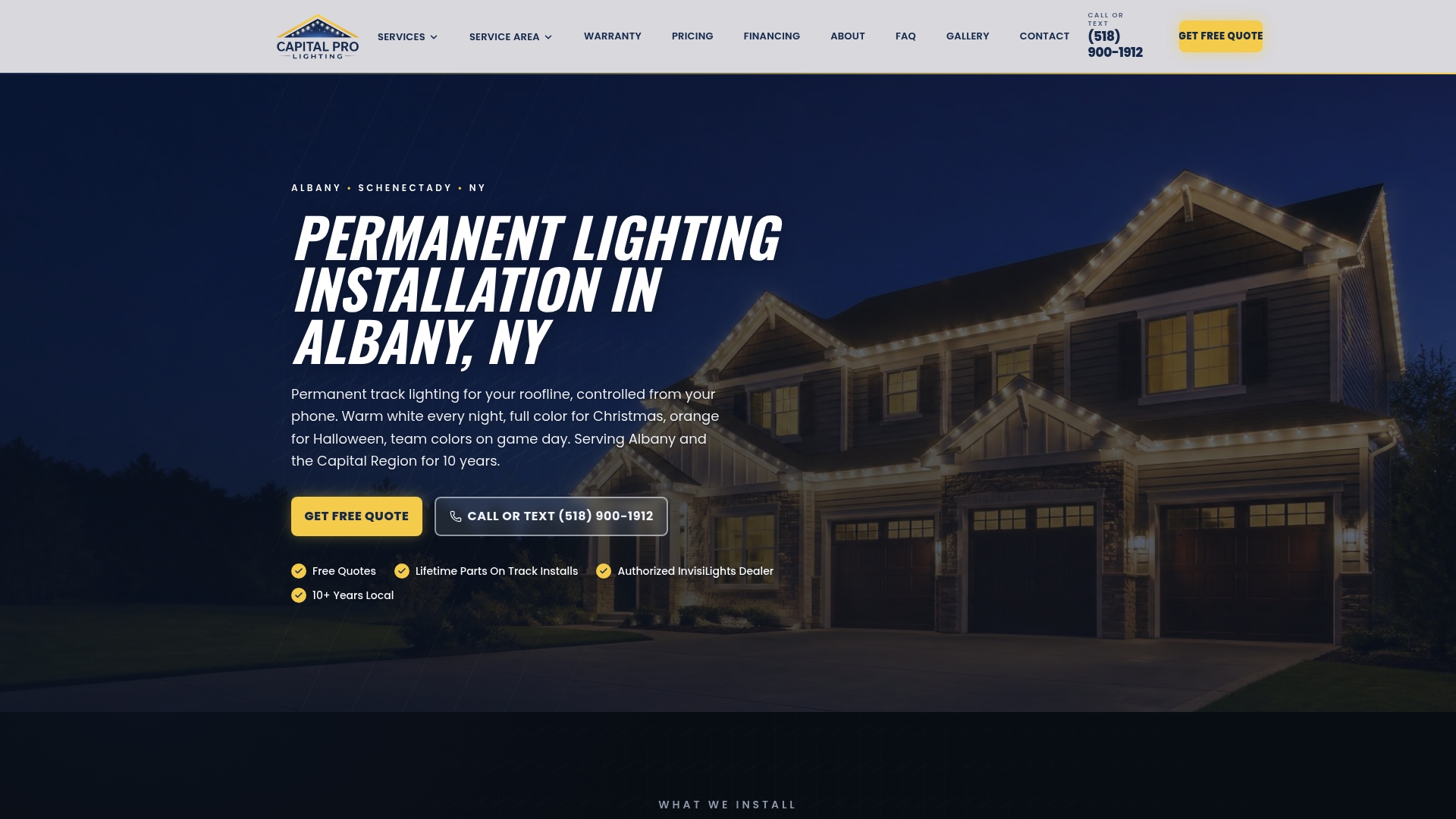
The InvisiLights Track Mounted system starts from $2,500 as a one-time install, and the trackless InvisiClips option starts from $2,000, both backed by a lifetime parts warranty. If your priority is a security-grade dusk-to-dawn glow with color flexibility for every season, a permanent outdoor lighting system is worth a look. If you just need this year’s holiday lights up and stored safely afterward, the Christmas light installation service handles that too. Request a site assessment and get a specific quote for your roofline before you decide between another photocell and another timer.
Sources
The Department of Energy’s outdoor lighting control primer covers basic control fundamentals. Its networked systems primer explains ANSI receptacle standards. The FEMP parking lot guide quantifies day-burning risk, and DarkSky covers light pollution reduction through scheduling.
- Guide to FEMP-Designated Parking Lot Lighting (U.S. Department of Energy)
- How a timer switch works and how to wire one: Mechanical, Digital and Astronomical | ElectraSim
- International Dark-Sky Association (DarkSky)
FAQ
What Are the Disadvantages of Photocells?
Photocells can misread ambient conditions, causing day-burning during cloudy or snowy weather or false triggers from nearby stray light. Older electromechanical models also degrade with age and can struggle with LED loads, sometimes causing flicker or stuck-on failures, which is why the FEMP parking lot guide recommends high-life photosensors for LED-era installations.
What Are the Three Types of Timers?
Timers come in mechanical, digital, and astronomical types, each handling scheduling differently. Mechanical timers use a rotating dial with physical trip pins, digital timers use an electronic microcontroller for multiple daily events, and astronomical timers add a location database that auto-calculates sunrise and sunset.
How Long Do Photocells Last?
Photocell lifespan depends on sensor quality and exposure conditions, but sensitivity typically drifts before the unit fully fails, leading to earlier turn-on or later turn-off over time. Specifying a high-life photosensor, as recommended in federal parking lot lighting guidance, reduces how often it needs replacing.
What Is the Best Outdoor Dusk-to-Dawn Timer?
An astronomical timer is generally the strongest fit for dusk-to-dawn control because it recalculates actual sunrise and sunset for your location daily and adjusts for daylight saving time without reprogramming. For homeowners who want dusk-to-dawn reliability without managing a sensor or a clock at all, a permanent system like Capital Pro Lighting’s InvisiLights replaces both with app-based scheduling.
Recommended
Ready for a Brighter Home?
Free, no-pressure quotes across the Capital Region.
No obligation. Local installer. Same-day callback.
Reviewed by Capital Pro Lighting
Capital Pro Lighting installs permanent outdoor lighting, architectural lighting, and holiday lighting across Albany and New York's Capital Region. We install UL listed permanent lighting systems and have 10 years in business. More about our team.