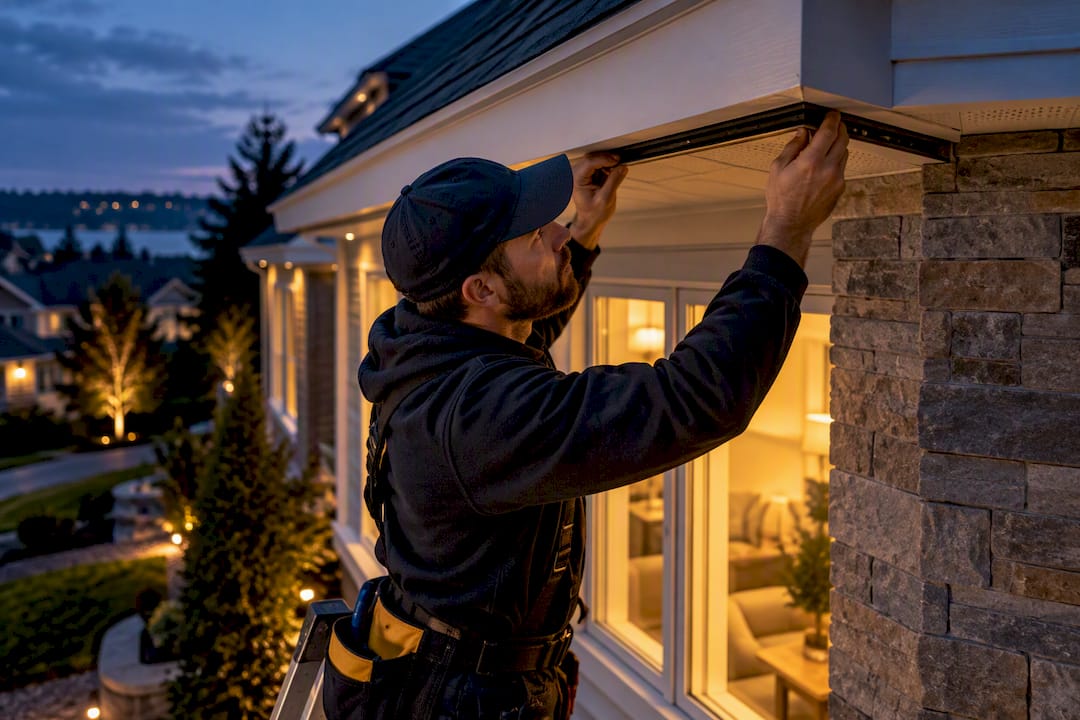
Homeowners: Keep Mesh under 4 Hops; Use PtP for Cameras or 300 ft Runs
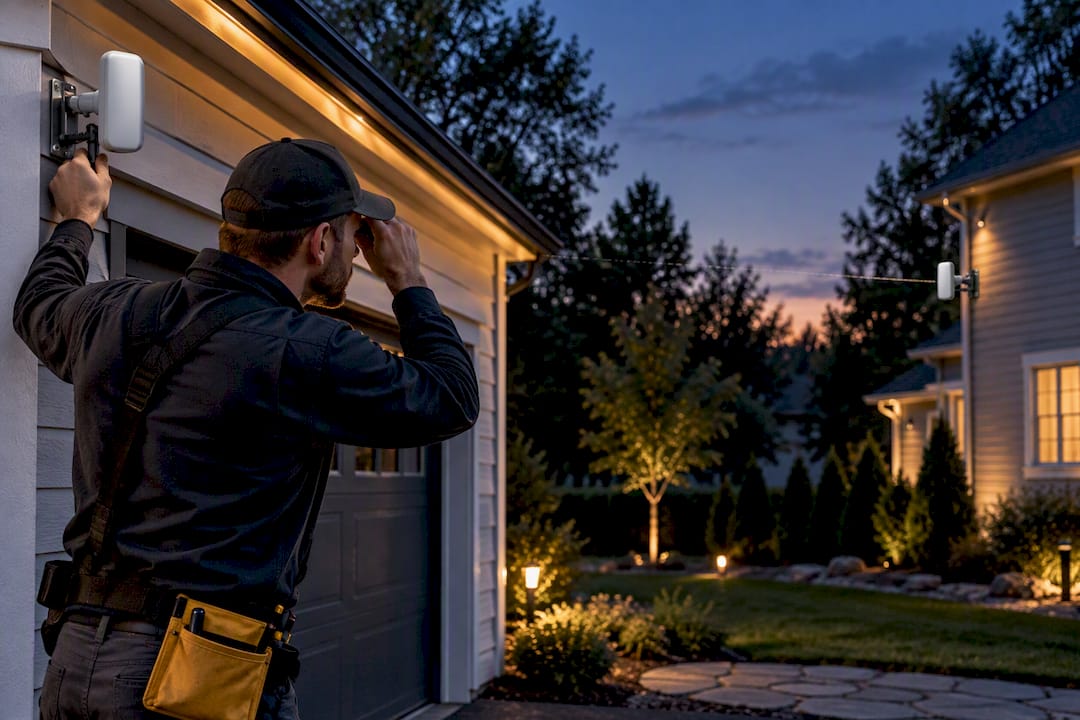
Homeowners: Keep Mesh under 4 Hops; Use PtP for Cameras or 300 ft Runs
For a single high-capacity link, camera backhaul, or connecting two buildings, use a point-to-point (PtP) bridge. For extending client Wi-Fi coverage where running cable is impossible, use mesh. PtP gives you one dedicated, unshared connection; mesh relays traffic through multiple nodes, which costs you throughput at every hop. Most property owners end up happiest with a hybrid: PtP backhaul feeding a small mesh or standard access points at each end.
TL;DR:
- Point-to-point links use directional antennas for dedicated, high-throughput connections, but require clear line-of-sight and precise aiming, especially over longer distances.
- Mesh networks experience significant throughput reduction with each additional hop, often dropping from around 24 Mbps to below 4 Mbps by the fourth hop, making them less suitable for latency-sensitive tasks.
- For distances over 300 feet or outdoor setups involving masts and mounting, professional installation, including site survey and alignment, is crucial to ensure reliable performance.
- Hybrid setups, combining PtP backhaul with local access points, are generally the most effective and efficient for property-wide coverage or connecting remote structures.
- Mesh is ideal for extending client Wi-Fi across a property with obstacles, while PtP is best for backbone connections, camera feeds, or rural property linkages needing dedicated bandwidth.
Mesh vs Point to Point at a Glance
Before diving into the mechanics, here’s the short version you can act on.
- Primary function: mesh extends client Wi-Fi across a property; PtP builds one dedicated wireless link between two fixed points.
- Performance: a single PtP hop keeps nearly all its rated throughput; mesh traffic loses roughly half its speed with each additional hop it relays through.
- Deployment constraints: PtP demands clear line-of-sight and careful antenna aiming; mesh tolerates some obstruction but still needs decent signal between nodes.
- Cost and labor: mesh nodes are cheaper individually and easier to add over time; PtP hardware costs more per link but usually needs fewer total devices for the same coverage.
- Best fit: PtP for backbone connections and camera feeds; mesh for spreading client access across a yard, barn, or multiple rooms.
How Does a Mesh Network Actually Work?
A mesh network is a group of access points that talk to each other wirelessly, relaying data from node to node until it reaches a wired connection back to your router. Each node plays two roles at once: serving nearby devices and passing traffic along the chain, which is why radio design matters so much. Cheaper single-radio mesh nodes split time between client traffic and backhaul on the same channel, so performance drops fast as you add hops. Better designs use a dedicated backhaul radio separate from the client radio, which holds up noticeably better under multi-hop load.
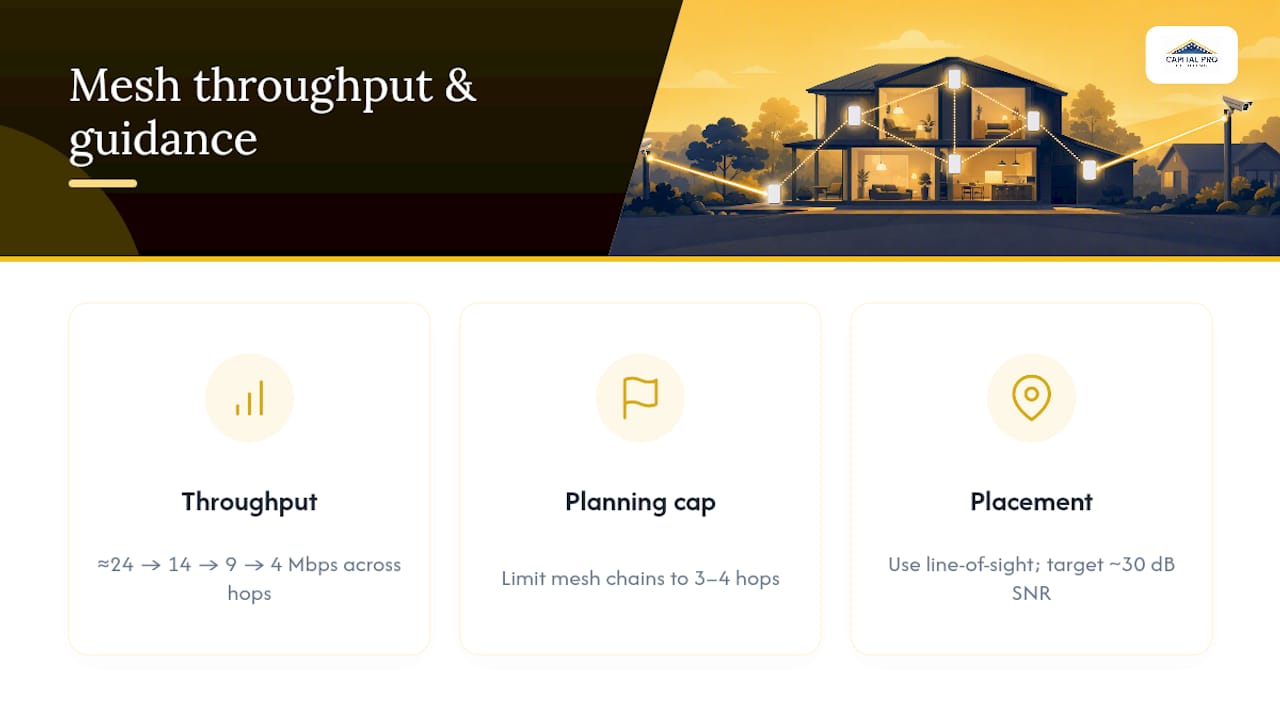
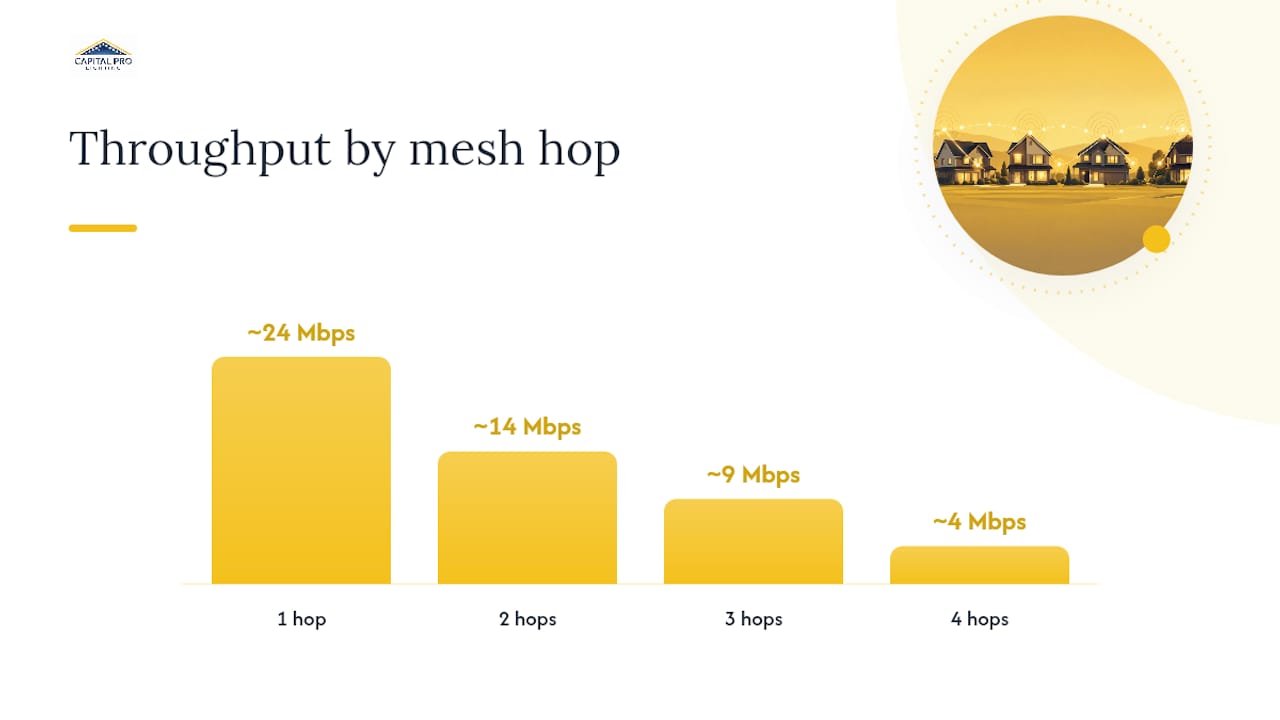
Cisco’s own mesh design guidance shows why hop count matters so much: throughput can fall from around 24 Mbps at the first node to roughly 14 Mbps, then 9 Mbps, then about 4 Mbps by the fourth hop, which is why Cisco recommends capping mesh chains at three or four hops. Place nodes with clear line-of-sight to their parent, target a backhaul signal-to-noise ratio around 30, and don’t crowd nodes so close together that they interfere with each other. Outdoor mesh access points work well for spreading coverage across a patio, driveway, or detached garage where a single router’s signal simply won’t reach.
What Is a Point-to-Point Connection, and How Does It Work?
A point-to-point connection is a dedicated wireless bridge between two fixed locations, functioning as a wireless Ethernet cable rather than a relay chain. One radio runs in Access Point/PTP mode, the other in Station/PTP mode, and together they form a transparent Layer 2 bridge between two Ethernet networks. Because a bridge preserves LAN-level addressing, devices on both ends behave as if they’re on the same local network, unlike a router setup that creates separate networks.
PtP hardware uses narrow, high-gain directional antennas aimed precisely at each other, and that precision is exactly why PtP outperforms mesh on a single link: no other device shares that airtime. Vendor datasheets list peak throughput figures like “up to 450+ Mbps,” but those numbers are model-specific and depend heavily on channel width and real-world conditions, so treat datasheet numbers as a ceiling, not a guarantee. One catch worth remembering: a PtP link only moves data between two points. It doesn’t broadcast Wi-Fi on its own, so you still need a local access point or PoE switch at the far end to serve actual devices.
Mesh vs Point to Point: Throughput, Latency, and Reliability
The clearest way to see the gap is to watch what happens to speed as hops stack up. Here’s Cisco’s illustrative decay pattern for a mesh chain starting at roughly 24 Mbps:
| Hop count | Approximate throughput | What’s happening |
|---|---|---|
| 1 hop | ~24 Mbps | Direct connection to wired node |
| 2 hops | ~14 Mbps | Traffic relayed once, sharing airtime |
| 3 hops | ~9 Mbps | Contention compounding |
| 4 hops | ~4 Mbps | Approaching the practical usability floor |
That decline isn’t a fluke of one vendor’s hardware. Academic capacity research on CSMA/CA, the contention protocol Wi-Fi radios use to avoid collisions, shows that MAC-layer overhead tightly constrains how much throughput a multi-hop mesh can actually deliver, no matter how good the radios are. A PtP link sidesteps that problem entirely because it’s not sharing airtime with relay traffic from other nodes, which is also why PtP handles latency-sensitive jobs like live video or VoIP so much better. Every camera stream on a mesh backhaul competes for the same limited airtime as everything else on that chain, and aggregate camera load is often the hidden reason a mesh camera setup grinds to a halt even when each individual stream looks modest.
Statistic Callout: Cisco’s own design guidance caps recommended mesh hop chains at three to four hops before performance typically becomes impractical for many applications. Plan your node count around this guidance, rather than purely on distance.
Planning a Deployment: Site Survey to Sign-Off
Whether you’re running PtP, mesh, or a hybrid, the planning steps look similar.
- Measure distances and check line-of-sight between every proposed node or bridge endpoint, noting obstacles like trees, rooflines, or outbuildings.
- Map Fresnel zone clearance for any PtP run over roughly 300 feet. The Fresnel zone is the football-shaped airspace around the direct line between antennas, and partial obstruction inside it degrades signal even when you technically have line-of-sight.
- Decide topology: PtP pair with local access points at each end, or mesh nodes chained through the property.
- Confirm power and mounting, including mast height, PoE injector placement, and weatherproofing for outdoor gear.
- Align and test before final mounting. Check signal strength, then run an actual throughput and latency test, not just a signal bar count.
Pro Tip: Mount PtP antennas on a temporary bracket first and run a real throughput test before drilling permanent holes. Small aiming errors compound over distance, and a link that looks fine at 50 feet can drop significantly at 500.
Matching the Approach to the Job
Different properties call for different answers, and most of the confusion around mesh vs point-to-point wifi setups comes from applying one solution everywhere.
- Campgrounds and RV parks: run PtP as the backbone between clusters of sites, then use mesh or standard access points only within each cluster, backed by a wired uplink wherever possible.
- Multi-building homes and small farms: a PtP link between the house and barn or guest house, with local access points on each end, beats trying to mesh across open ground.
- Remote camera installations: point-to-point advantages show up clearly here. Video streams need consistent bandwidth, and PtP backhaul avoids the airtime contention that kills mesh camera setups.
- Temporary events: a short PtP link works if the distance justifies it; otherwise a small mesh network with realistic capacity planning covers a single field or lot fine.
Anyone adding networked cameras or sensors to a property should also think about what that hardware actually needs from the network before choosing a topology, which this homeowner’s guide to remote monitoring covers well.
Practitioner Notes on Placement, Pitfalls, and Mounting
The single most common planning mistake is placing nodes for user convenience instead of backhaul strength. A node with great signal to your phone but a weak upstream link to its parent node drags down everyone connected through it. Prioritize parent-child line-of-sight first, client convenience second.
Treat any PtP link as backhaul only. It moves data between two points; it doesn’t hand out Wi-Fi on its own, so budget for a local access point at the far end. For camera-heavy sites, skip multi-hop mesh entirely if you can. Mounting this hardware securely and weatherproofing the cable runs matters as much as the radio planning itself. A decade of outdoor installation work in the Capital Region, including offering a lifetime parts warranty on track installs, reflects the same discipline: durable mounts and clean cable routing outlast a rushed job by years.
A Practical Rule of Thumb for Choosing Between Mesh and Point to Point
Use PtP for anything that needs a dedicated link. Cameras, a detached building, or a backbone connection all fit that mold. Use mesh only for light client coverage where wiring truly isn’t an option, and keep it under four hops. If your run is over 300 feet or involves masts, alignment gear, or coordinating wiring with other outdoor work, hiring an installer usually costs less than a redo. Performance and simplicity rarely come free at the same time.
— Luis T
How Capital Pro Lighting Fits Into Your Outdoor Project
If you’re already planning masts, cable runs, or weatherproof mounts for a PtP bridge or mesh node, you’re closer to an outdoor lighting project than you might think. Capital Pro Lighting has spent over ten years installing permanent outdoor lighting across Albany, Schenectady, Saratoga Springs, and the wider Capital Region, and that means real experience running clean cable, mounting hardware securely to rooflines, and weatherproofing connections that need to survive New York winters.

The InvisiLights Track Mounted and InvisiClips / Trackless systems are available, with details including pricing and warranty information on the company’s website. Custom 3D-printed brackets keep hardware mounts clean, whether you’re routing a PtP antenna cable or coordinating conduit alongside a lighting track. If you’re weighing a networking upgrade alongside outdoor lighting work, it’s worth handling both at once. Check pricing or explore the permanent outdoor lighting page to request a site consult.
Sources
- Cisco Wireless Mesh design considerations (WiMesh)
- Ubiquiti airMAX guide to configure a point-to-point link
- InfoCom paper on achievable capacity of wireless mesh networks over CSMA/CA
- PowerBeam ac datasheet
FAQ
Is It Better to Use Mesh as a Router or Access Point?
Run your mesh system in access point mode with your existing router handling the main network, unless the mesh system is your only router. Running two devices in router mode on the same network creates double NAT issues that cause connection problems for gaming, VPNs, and some smart home devices.
What Are the Downsides of Mesh Wi-Fi?
The biggest downside is throughput loss over multiple hops. Cisco’s own data shows speeds dropping from roughly 24 Mbps to about 4 Mbps by the fourth hop, and mesh nodes also add cost and complexity compared to a single router. Dense camera or video setups tend to struggle most because every stream competes for the same limited backhaul airtime.
Do You Lose Speed With Mesh Wi-Fi?
Yes, you lose some speed any time traffic relays through more than one mesh node, since each hop shares limited airtime with the traffic passing through it. A single hop from a wired mesh node loses relatively little, but speeds drop fast beyond three or four hops, which is why vendor guidance caps mesh chains at that range.
What Is Better, a Wi-Fi Extender or a Mesh System?
A mesh system is almost always the better choice over a basic Wi-Fi extender, because mesh nodes coordinate with each other and hand off devices automatically as you move around a property. Extenders simply rebroadcast a signal without that coordination, often creating a separate network name and worse performance than a properly placed mesh node.
When Should I Choose Point to Point Over Mesh?
Choose point-to-point whenever you need a dedicated, high-reliability link between two fixed locations, such as connecting a detached garage, barn, or second building to your main network. It’s also the stronger choice for camera backhaul, since a dedicated PtP link avoids the airtime contention that slows down multi-hop mesh chains.
Ready for a Brighter Home?
Free, no-pressure quotes across the Capital Region.
No obligation. Local installer. Same-day callback.
Reviewed by Capital Pro Lighting
Capital Pro Lighting installs permanent outdoor lighting, architectural lighting, and holiday lighting across Albany and New York's Capital Region. We install UL listed permanent lighting systems and have 10 years in business. More about our team.